Availability of a Custom Field for Inventory
The availability of a custom field for inventory in Code Insight is determined by the configuration of the Enabled and Visible in UI fields. The following sections describe the various availability states for a custom field once you save its definition:
If no custom fields for inventory have been defined in Code Insight, the Custom Fields tab shows the message “There are no custom fields configured”.
Enabled and Web-UI Visible
If the Enabled and Visible in UI attributes for a custom field are both set to Yes, the field is made available in the Code Insight Web user interface and the REST interface for inventory across all projects. Note the following about the custom fields in the Web user interface:
-
All custom fields are of the “textarea” type.
-
The maximum size of a custom-field value is 64k (64000 characters).
Example Custom Fields for an Inventory Item on the Project Inventory Tab
The following example shows two custom fields (Exclude from Notices Report and Encryption Algorithms) on the Inventory Details tab within the Project Inventory Details pane for the selected inventory item on the Project Inventory tab.
![]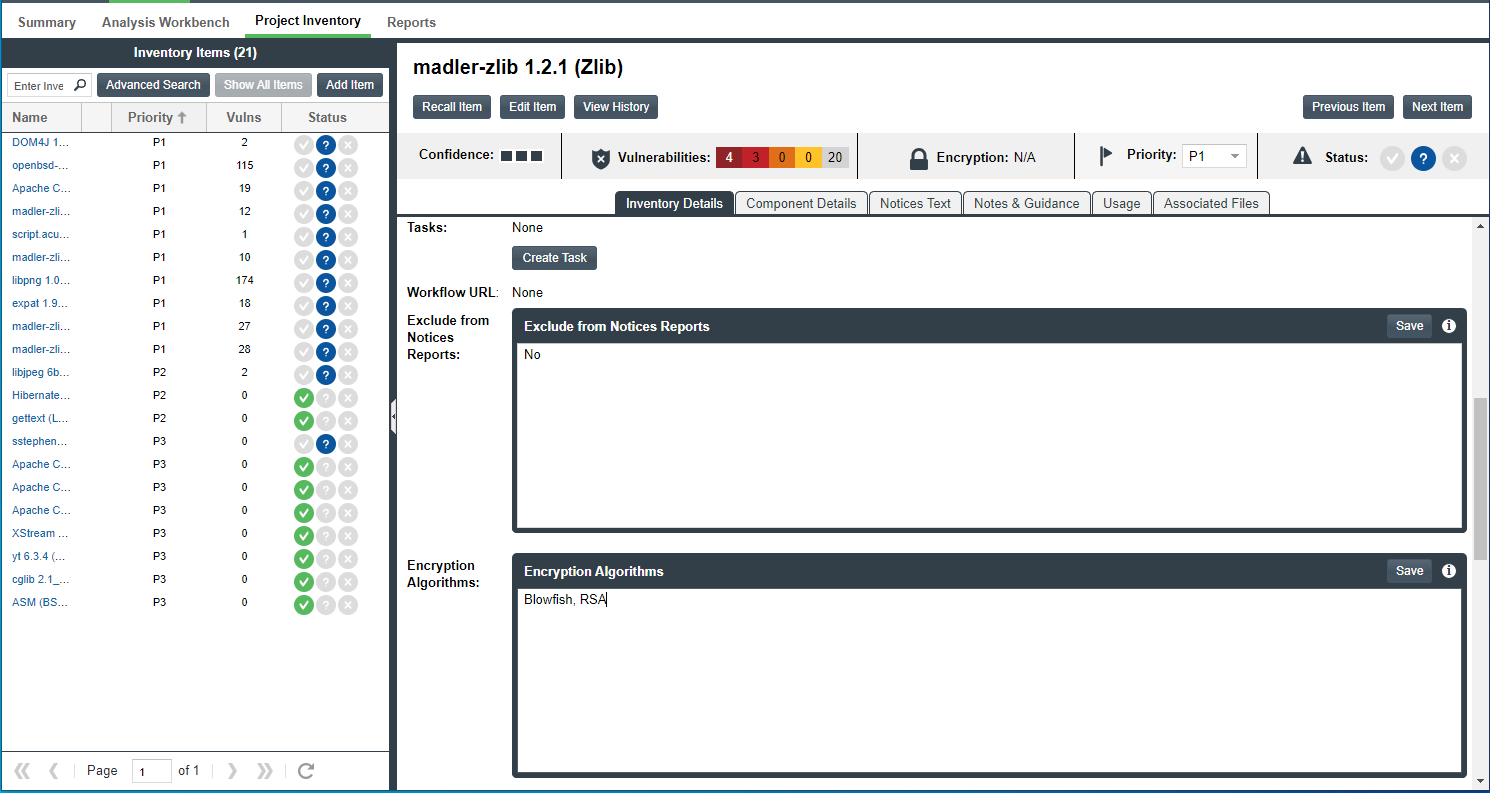
Note the following about the custom fields for inventory at this location:
-
The custom fields are displayed below all the inventory metadata, so users need to scroll down to view fields.
-
When a user clicks the ![]
 icon in the upper-right corner of a field, a pop-up window opens, showing the content entered for Help Text attribute in the custom field’s definition. If no help content has been defined, the ![] icon is not displayed.
 -
The Save button is enabled only when users enter value text in the field.
Example Custom Fields for an Inventory Item in the Analysis Workbench
The following shows these same fields on the Inventory Details tab for a specific inventory item in the Analysis Workbench.
![]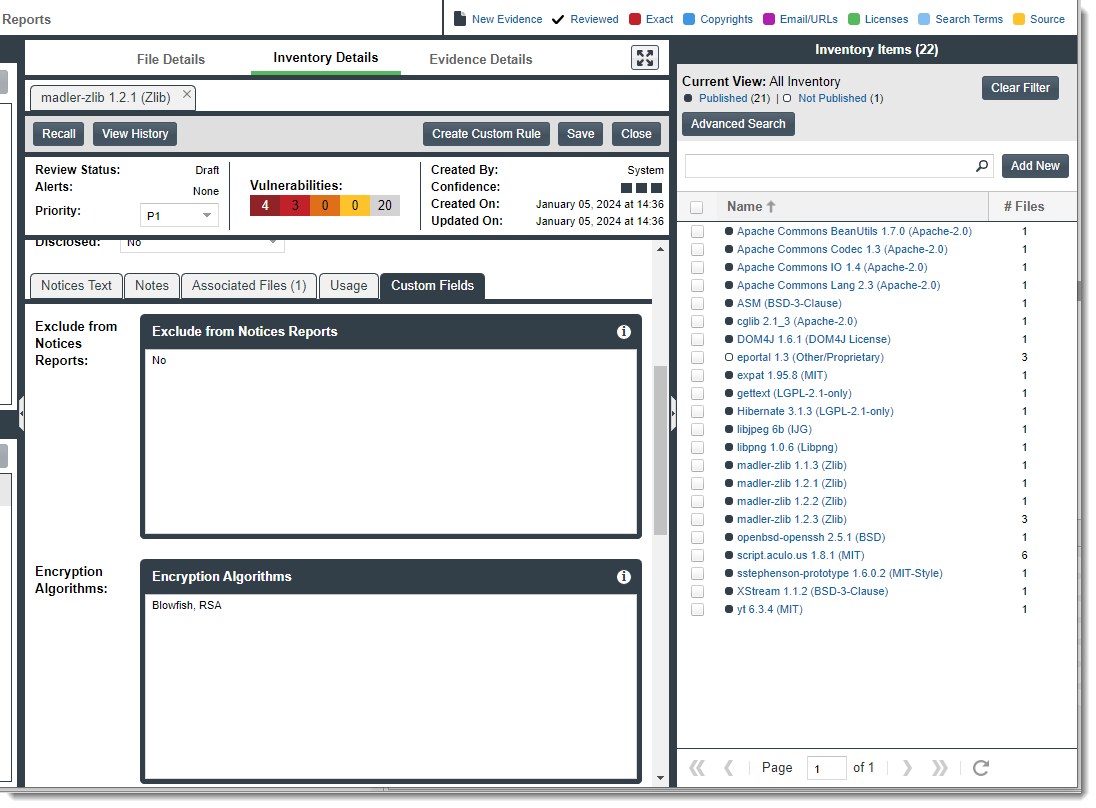
Note the following about the custom inventory fields at this location:
-
The fields are displayed on the Custom Fields tab. The tab is listed below the inventory metadata so users need to scroll down to view the fields.
-
When a user clicks the
icon in the upper-right corner of a field, a pop-up window opens, showing the content entered for Help Text attribute in the custom field’s definition. If no help content has been defined, the icon is not displayed. -
If users enter values for custom fields, they save the values by clicking the Save button next to Create Custom Rule button.
REST Interface for Custom Fields for Inventory
Users can use the Get Project Inventory and Get Inventory by ID REST APIs to view values for custom fields for inventory items. They can also use the Update Inventory and Create Inventory REST APIs to update the custom-field values for an inventory item.
For information about these REST APIs, refer to the Rest API Guide Swagger documentation. To access this guide, click the  in the Code Insight Web user interface to open the main menu. Then select Help > Documentation > Rest API Guide.
Enabled and Not Web-UI Visible
If the Enabled attribute is set to Yes and the Visible in UI attribute is No, the custom field for inventory is not visible in the Code Insight Web user interface. However, users can access the field’s values using the REST interface, as described in the previous section, REST Interface for Custom Fields for Inventory.
Not Enabled
If the Enabled attribute is set to No despite whether the Visible in UI attribute is Yes or No, the custom inventory field is available neither in the Web user interface nor through the REST interface. However, the field can always be made available again by re-enabling the field.
If all fields are disabled, the Custom Fields tab or section is blank. The REST interface shows an empty array for the “customFields” section in the Get Project Inventory and Get Inventory by ID API responses and, for Update Inventory and Create Inventory APIs, produces the message “Invalid custom field Id or field is disabled” if you attempt to update custom field values.