Disabling or Uninstalling the Visual Studio Plugin
Use the following procedure to disable or uninstall the Visual Studio plugin.
- Open Visual Studio IDE, and select Tools | Extensions and Updates.
- Select the Installed category in the left pane.
- From the list of applications, select Code Insight Scan for Visual Studio, and click Disable or Uninstall.
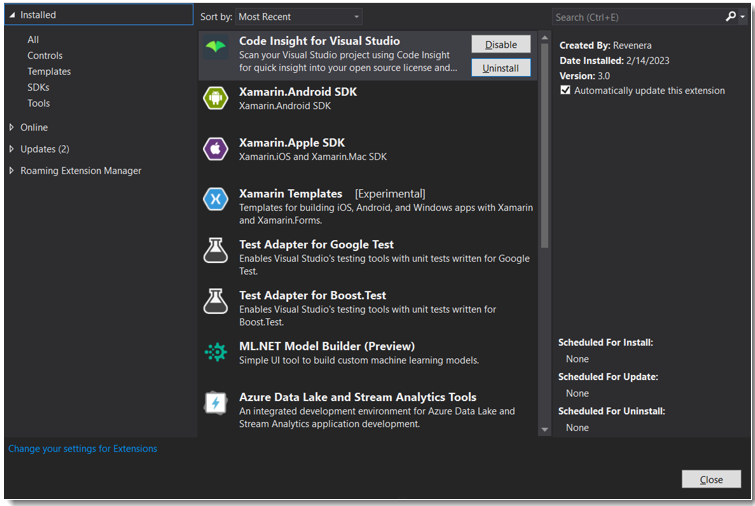
- Restart Visual Studio IDE to verify that the plugin has been disabled or removed from the list of applications.