Viewing Security Vulnerabilities Associated with One or More Component Versions at the Global Level
Use the following procedure to view the list of security vulnerabilities currently associated with a component version at the system (global) level in the Code Insight Data Library. This list does not include vulnerabilities suppressed at the global level for the component version. However, it does list any vulnerability suppressed for the component version at the project level.
To view security vulnerabilities at the global level for a specific component version, do the following:
- Click the Vulnerabilities bar graph for an inventory item in one of these two locations:
-
In Lookup Component window—Accessed when creating or editing a component-based inventory item in the Analysis Workbench or on the Project Inventory tab. See A Component Version in “Lookup Component” Results for more information.
-
On the Versions dialog—Accessed for a specific component on the Global Component & License Lookup window. See A Component Version in “Global Component & License Lookup” Results for more information.
noteThe bar graph is visible only if vulnerabilities exist for the component version.
-
The Security Vulnerabilities window is displayed.
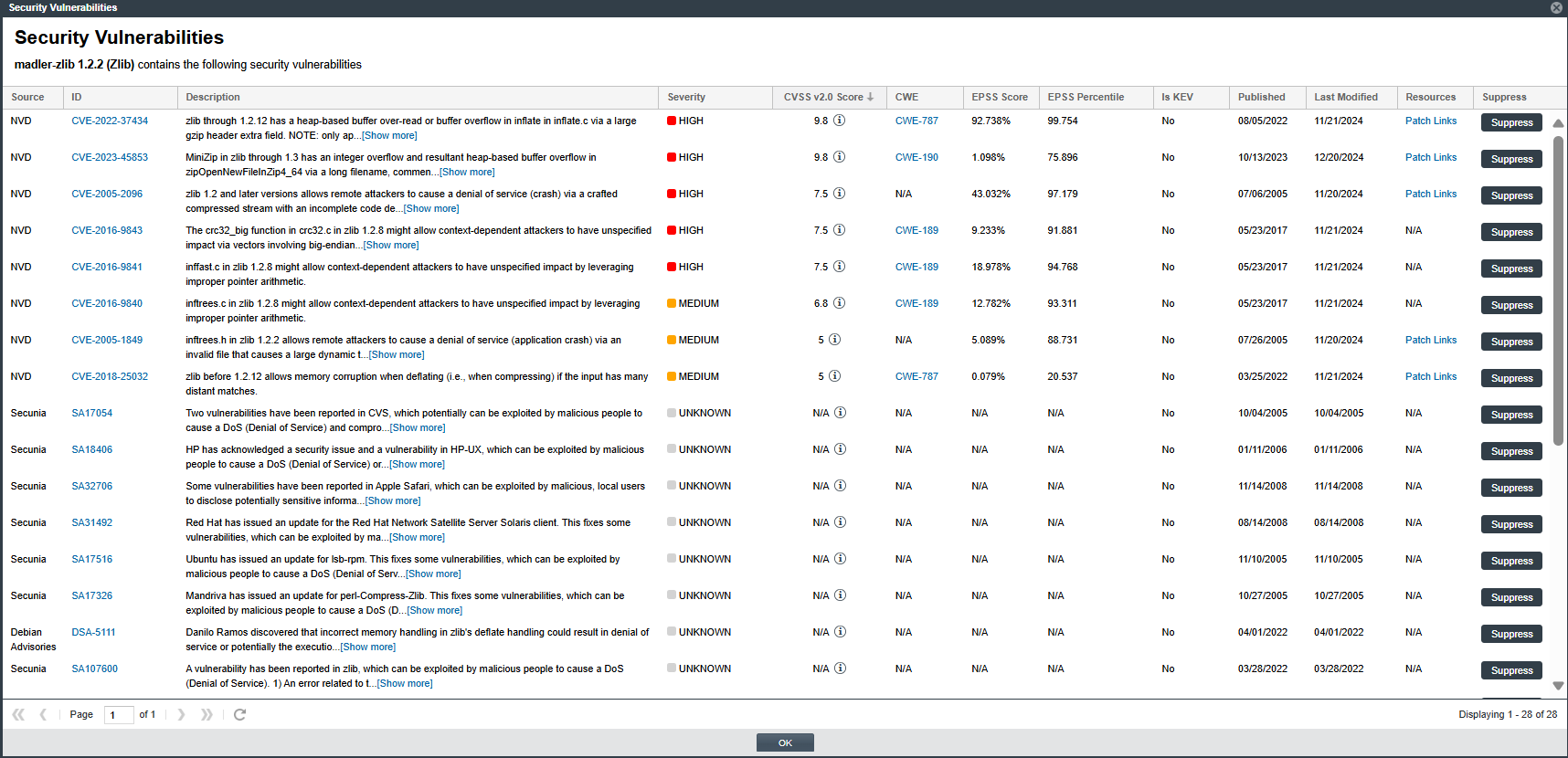
-
The Suppress button is visible only if you accessed this window as a System Administrator. Otherwise, the button is not displayed.
-
- Examine the vulnerabilities in the Security Vulnerabilities list.
-
For a description of the details shown for each vulnerability listed, see Security Vulnerabilities Window.
-
For information to keep in mind as you review the list, see Important Information About the List of Vulnerabilities.
-
- (Optional) If you are a System Administrator, click the Suppress button for a given vulnerability to open the Suppress Vulnerability window to suppress the vulnerability at the global level. For instructions, see Suppressing or Unsuppressing a Security Vulnerability at the Global Level.
- When you have finished with the Security Vulnerabilities window, click OK to close it.